Exporting Audiovisuals Clips
- Can I export clips?
- I created a bunch of video clips, how do I send them to someone?
You can export any created clips using Media Scripts.
First, create a Media Script (see Creating Media Scripts for more information).
Arrange your order by dragging the clips around within the script or add them in the order you want.
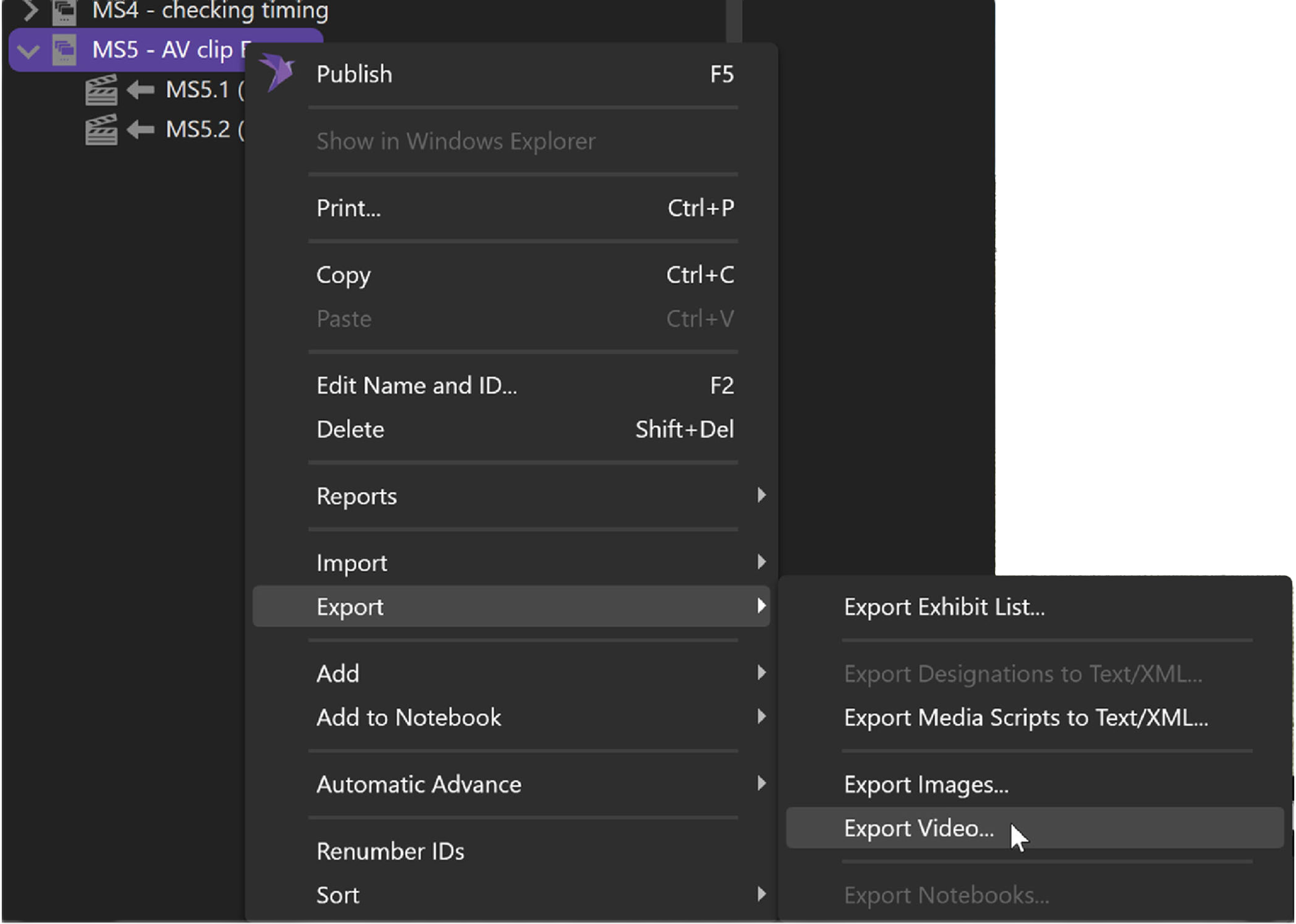
Right-click, select Export, then select Export Video.
Choose your format and click OK.
The best part of this feature is that when you add your non-synced video or audio file cuts, you can export them for review or just use the Media Script to play them in order.
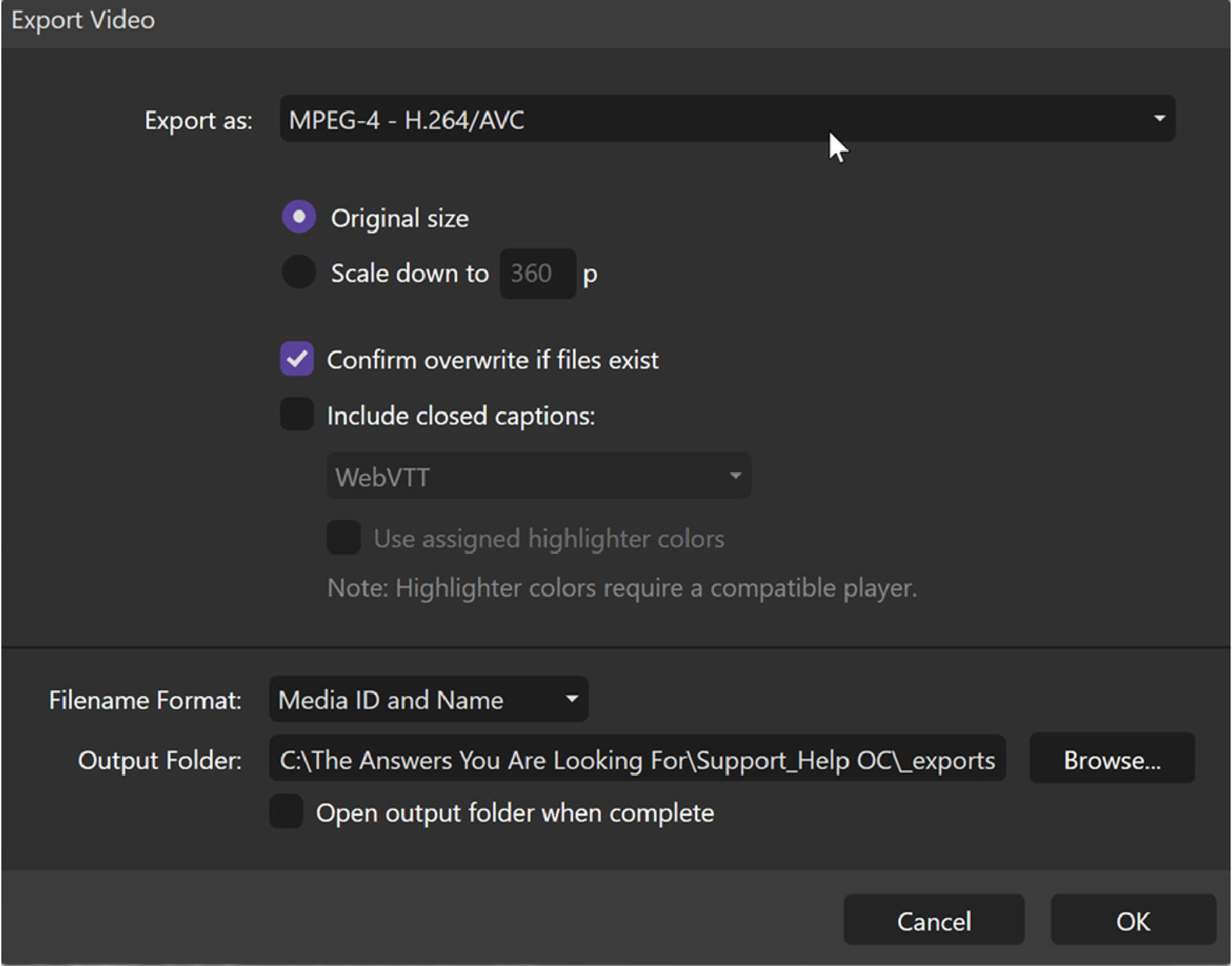
:::info Note Closed captions are only available for synced videos (usually depositions). :::