Removing Lines from Existing Designations
How do I remove objections?
Removing objections and any other lines from a designation list is as easy as a right-click in OnCue. Remember that to remove any part of a transcript, it must be a part of a designation.
1. Select the designation that you wish to remove from
2. Select the text that you would like to remove
3. Right-click on that text you have selected
4. Choose the option to “Remove Selection”
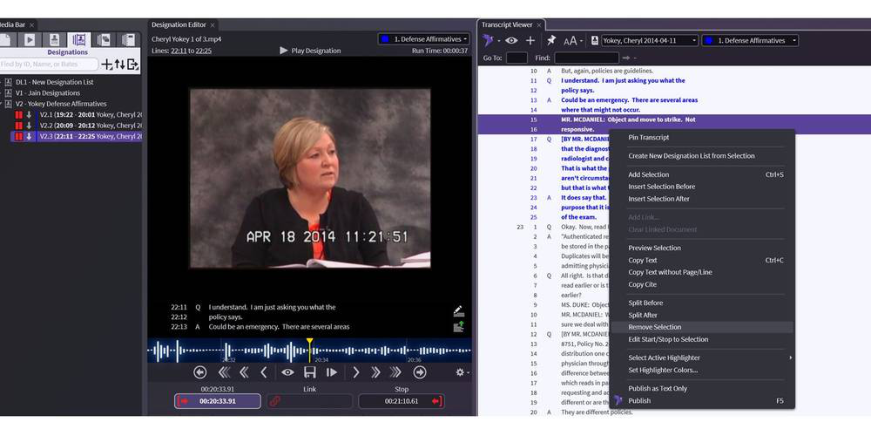
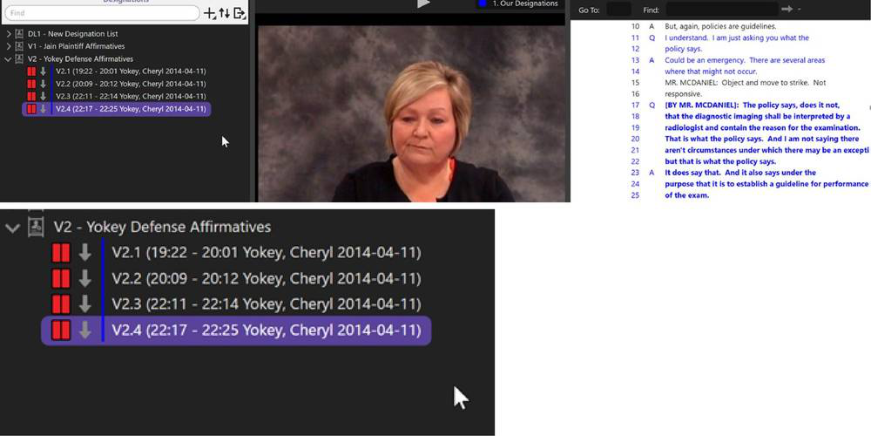
- OnCue will automatically update your playlist and create a new designation where the removed portion ended
Right-Click Menu - Transcript Viewer
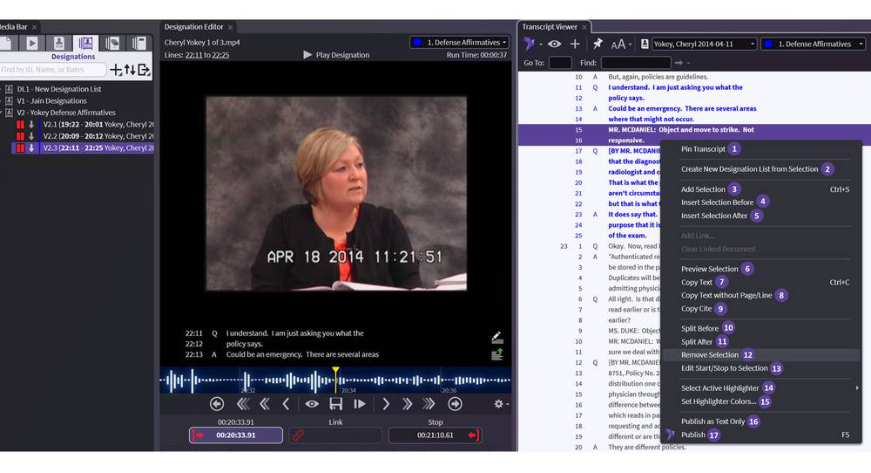
1. Pin Transcript — Keeps current transcript in Viewer if you click on another person's designation
2. Create New Designation List from Selection — Creates new list from selected portion
3. Add Selection — Add selected portion to the chosen designation list
4. Insert Selection Before — Insert selected portion before your chosen designation
5. Insert Selection After — Insert selected portion after your chosen designation
6. Preview Selection — Plays untuned portion of selected video
7. Copy Text — Copies text with page/line to your clipboard
8. Copy Text without Page/Line — Copies only the text to your clipboard
9. Copy Cite — Copies only the page/line to your clipboard
10. Split Before — Breaks your designation into two separate designations BEFORE the selected portion
11. Split After — Breaks your designation into two separate designations AFTER the selected portion
12. Remove Selection — Deletes selected portion from a chosen designation
13. Edit Start/Stop to Selection — Careful – changes page and line you have chosen in list to what you have selected in the transcript viewer
14. Select Active Highlighter — Sets color for you next selection
15. Set Highlighter Colors... — Set up your colors - See Designation Highlighters
16. Publish as Text Only — Show selected portion in Presentation with no video, only scrolling text
17. Publish — Show selected portion in Presentation
For more information about what you can do with the right-click menu, see our Understanding your Right-Click Menu - Designations article.