Importing Names
Importing Names into an existing database is nice and simple.
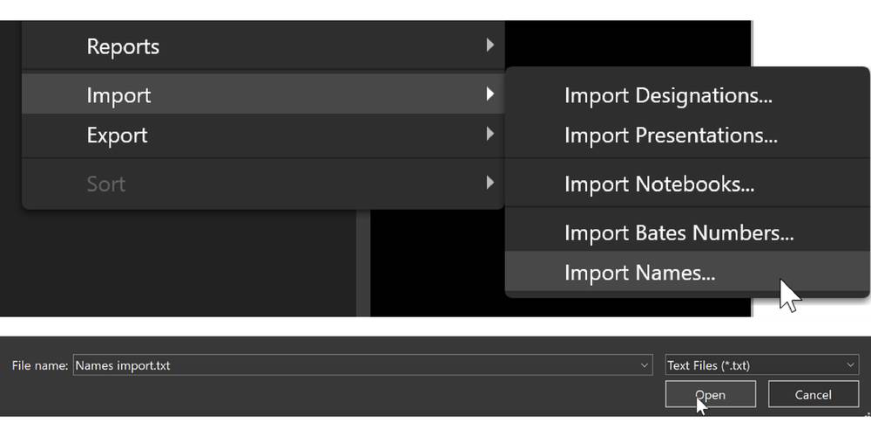
1 Under File -> Import, or on the Documents right-click menu, Import Names OR
2 Right-click in Documents tab menu, select Import, and then Import Names
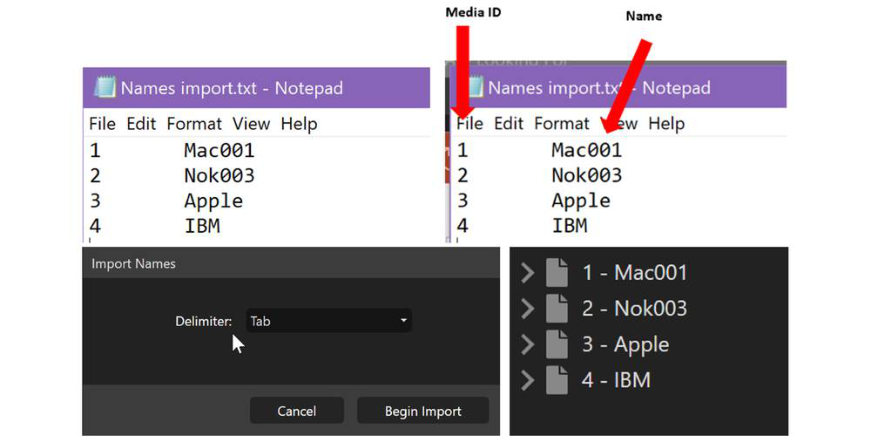
You can import Names from a Text File Only – you choose the delimiter. In this example we are using a Tab delimited text file. You MUST ALWAYS HAVE Media ID first and then Names.
There are couple ways to prepare your files depending on what you want to put Names on.
Names on Main Document
Here is how to format your text file to put names on your Main Document (parent):
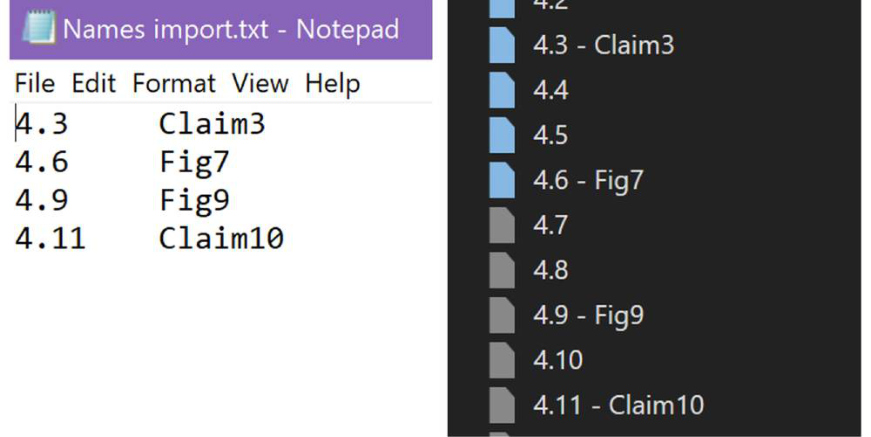
Names on Document Pages
Here is how to put Names on specific pages of your documents (children).
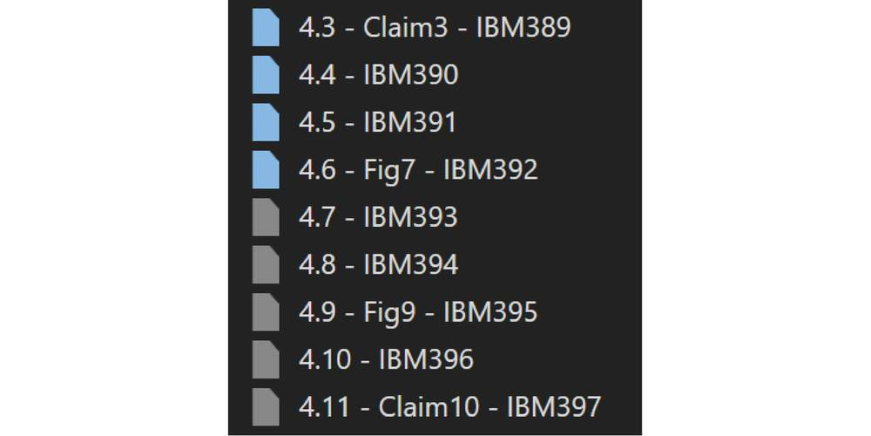
Can you have a Name and Bates on a page? Yes. Media ID, Name, and Bates shown below.
Made a mistake? Currently, there is no way to delete names unless you do it one by one using F2. We suggest using Delete/Delete from Database and then re-adding the document(s).