Optimizing Your PDFs
- Why does my PDF document take so long to load in the viewer?
OnCue uses the native PDF files that you load into it. (Note: it is always a good idea to save a backup of your docs someplace else)
If a document is running slowly then it is possible that there are some issues with the file, like too much meta data or something is hinky with the PDF. We’ve created a solution to try and fix things that can affect how your document performs in OnCue.
How to Optimize PDFs
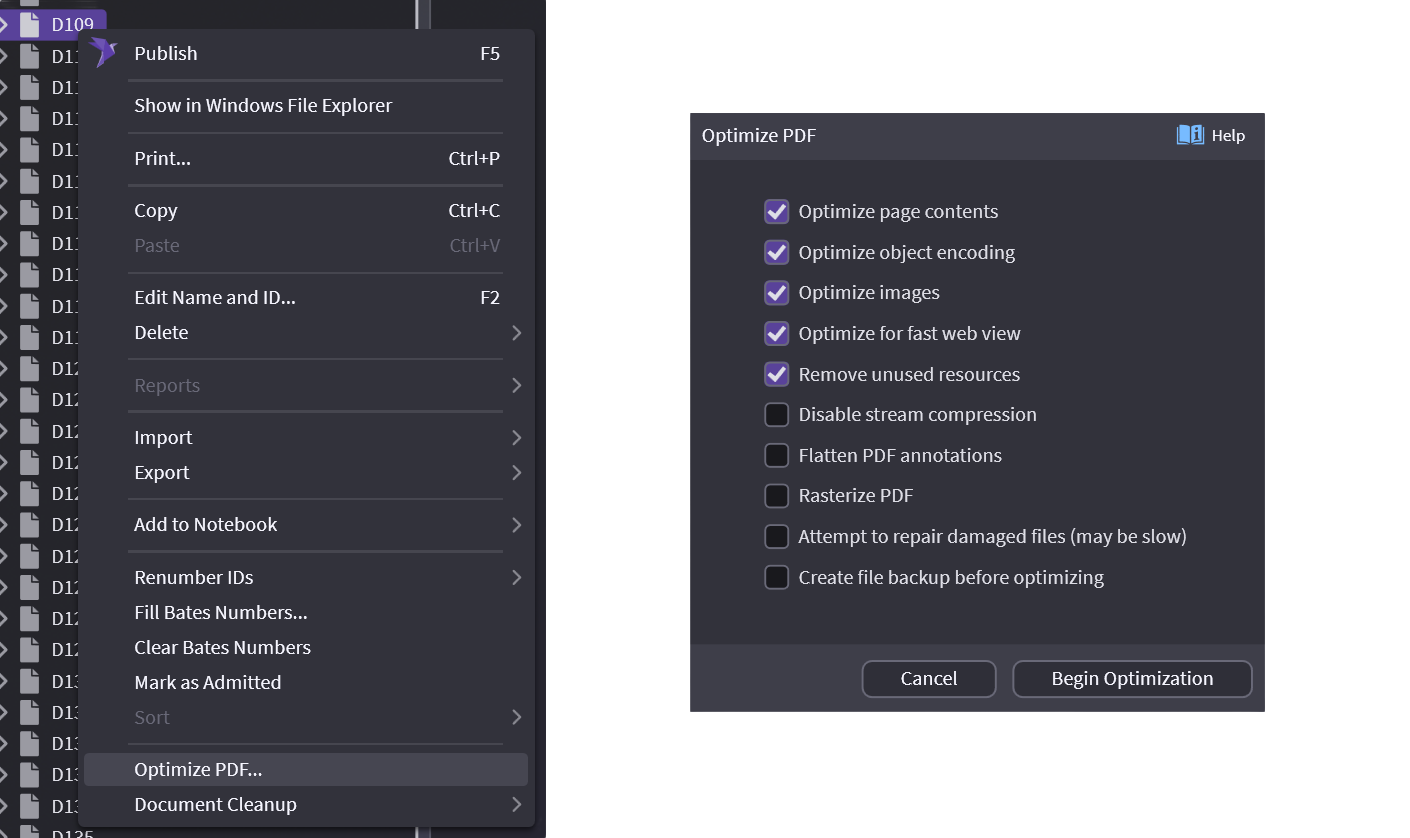
Right-click on your document and select Optimize PDF...
| Command | Action |
|---|---|
| Optimize Page Contents | • Improves splitting performance • Restructures the PDF so that all information on each page is located within that page |
| Optimize object encoding | • Makes PDF load faster • Stores PDF data as decoded objects rather than streams |
| Optimize images | • Makes PDF load faster • Encodes images as JPEG |
| Optimize for fast web view | • Makes PDF load faster • Restructures the PDF so that pages can be loaded without reading the entire file |
| Remove unused resources | • Makes PDF smaller, might improve load time • Removes unnecessary resources from PDF |
| Disable stream compression | • Makes PDF load faster • Extracts PDF data into uncompressed streams, making the PDF larger but faster to load |
| Flatten PDF annotations | • Might help with missing overlays/stickers • Converts PDF annotations into regular PDF objects |
| Rasterize PDF | • Makes the PDF load faster by replacing its pages with flattened snapshots of how they appear • This is done by converting the vector‑based images, text, and other elements into a bitmap PDF |
| Attempt to repair damaged files | • Can fix broken PDFs • Rebuilds cross reference table by scanning entire PDF file |
| Create backup before optimizing | • Keeps the old, unoptimized version around once optimizing is done |