Printing Documents
- Can I export documents with the IDs or names in OnCue?
First, select the desired media in the Media Bar or Notebook.
With items selected, Right-click and select Print, or use the hotkey Ctrl + P.
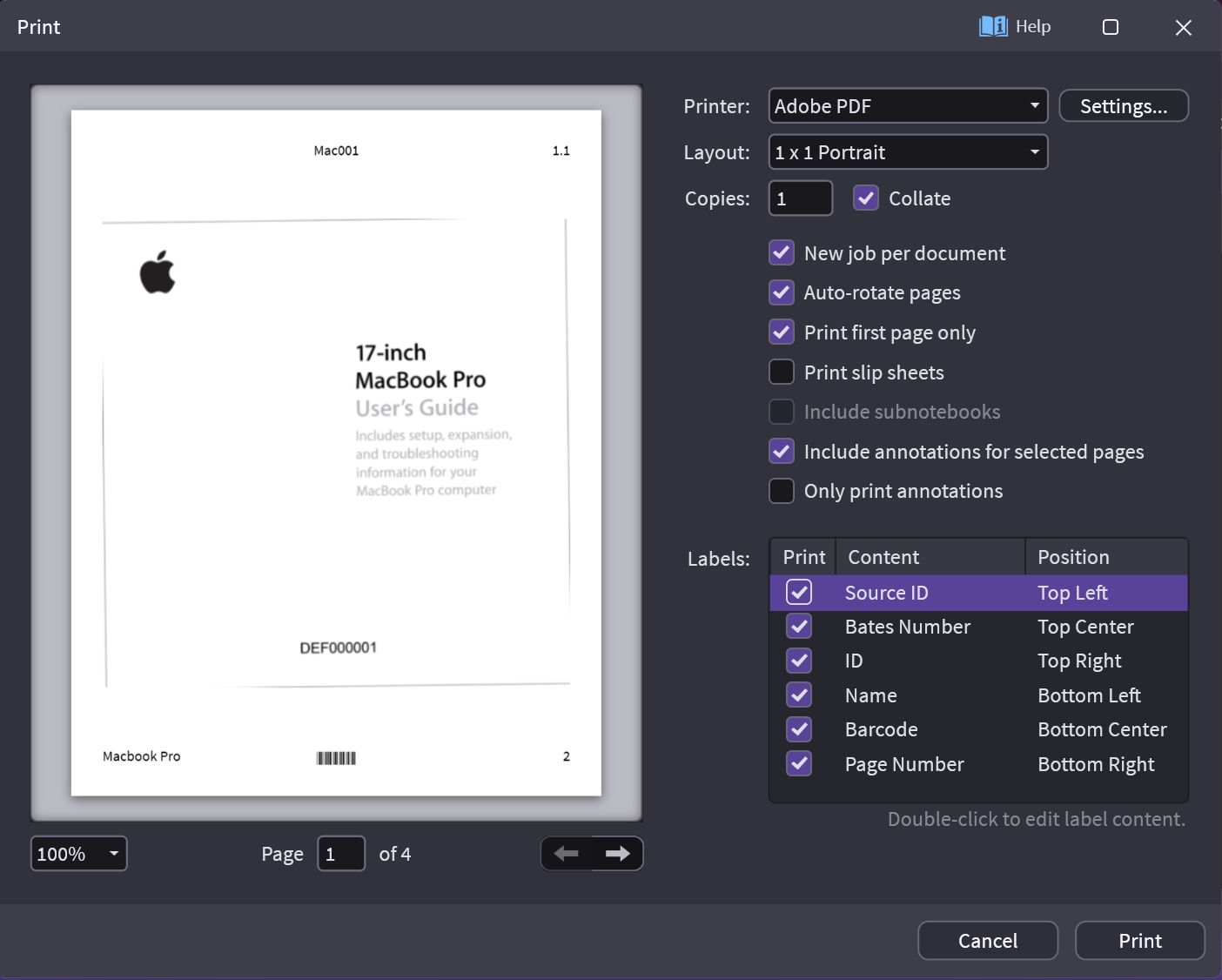
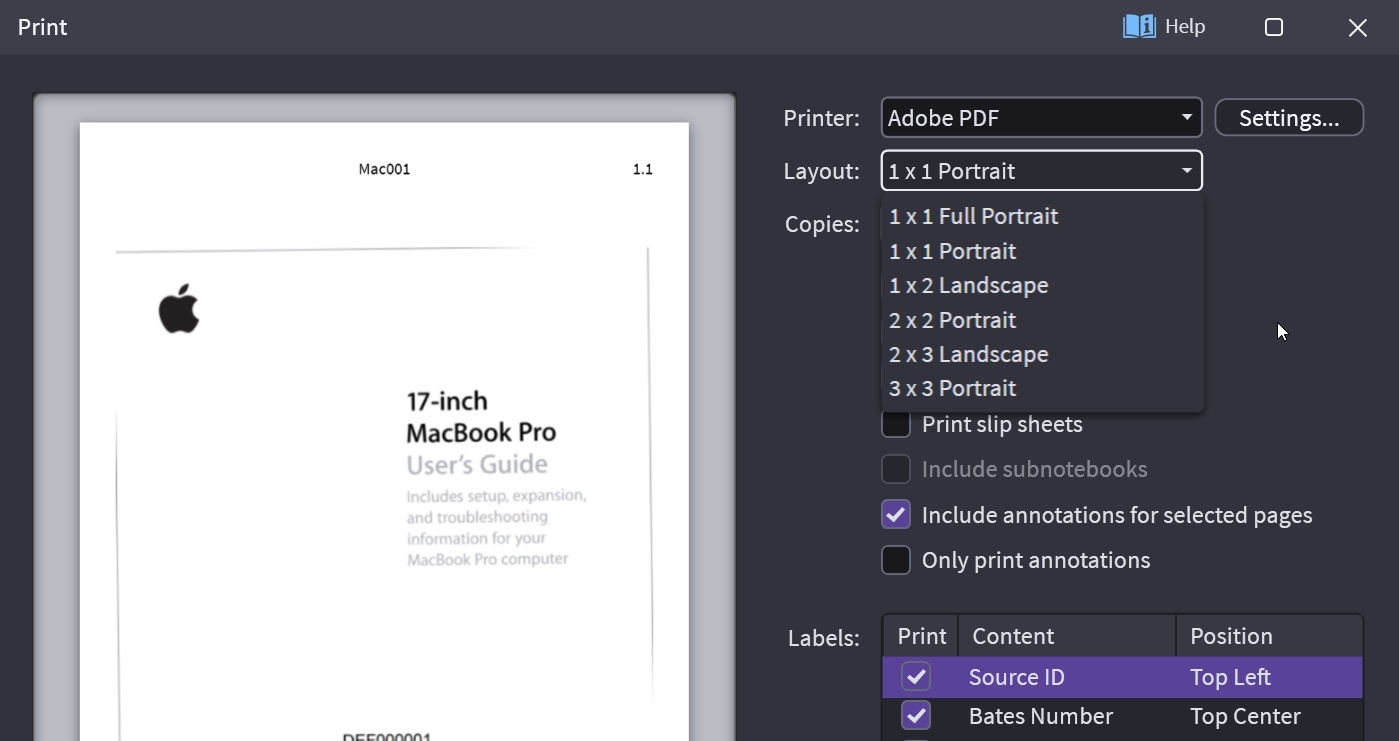
Layout Options:
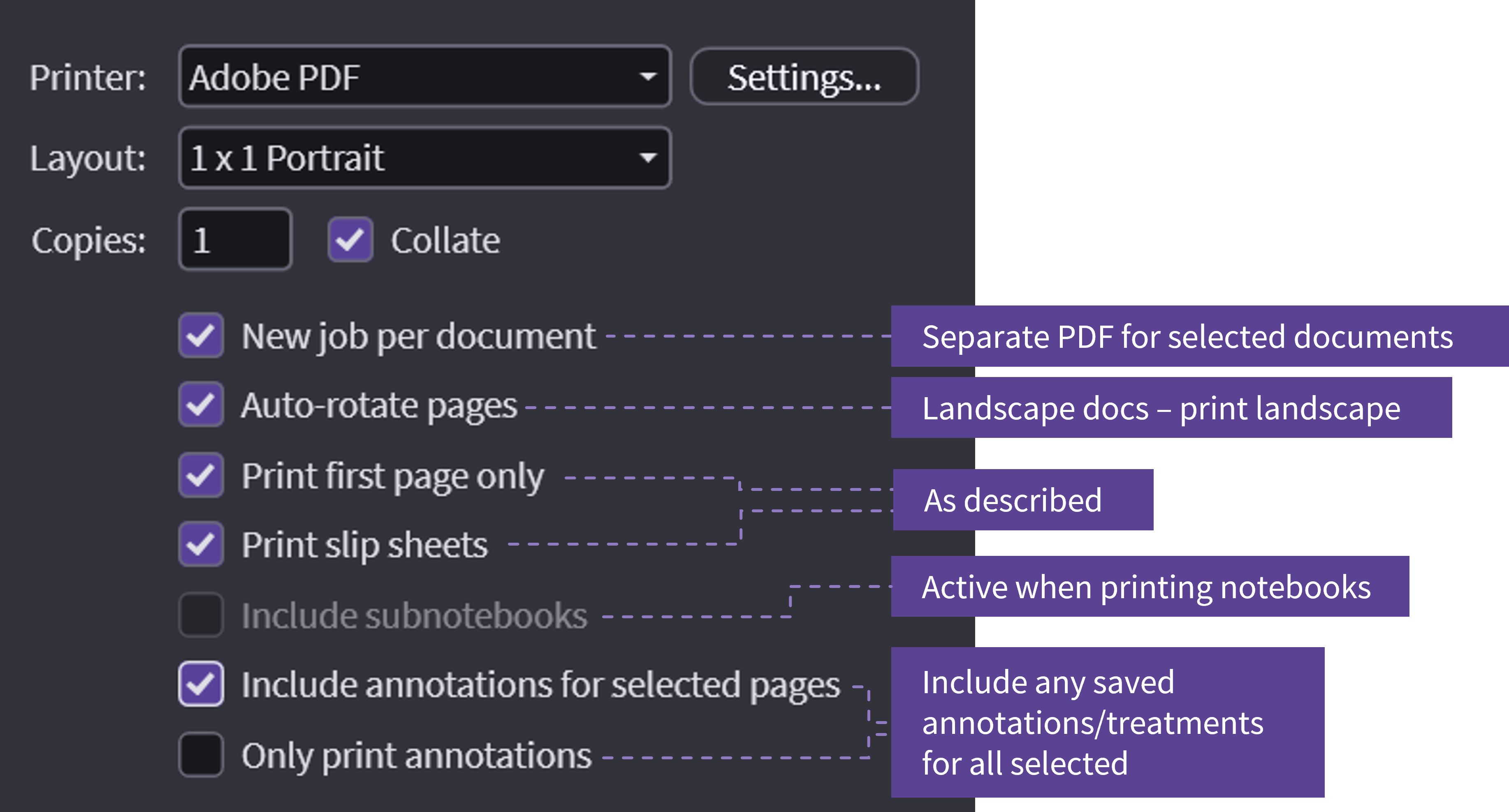
Printing Options:
Label Options:
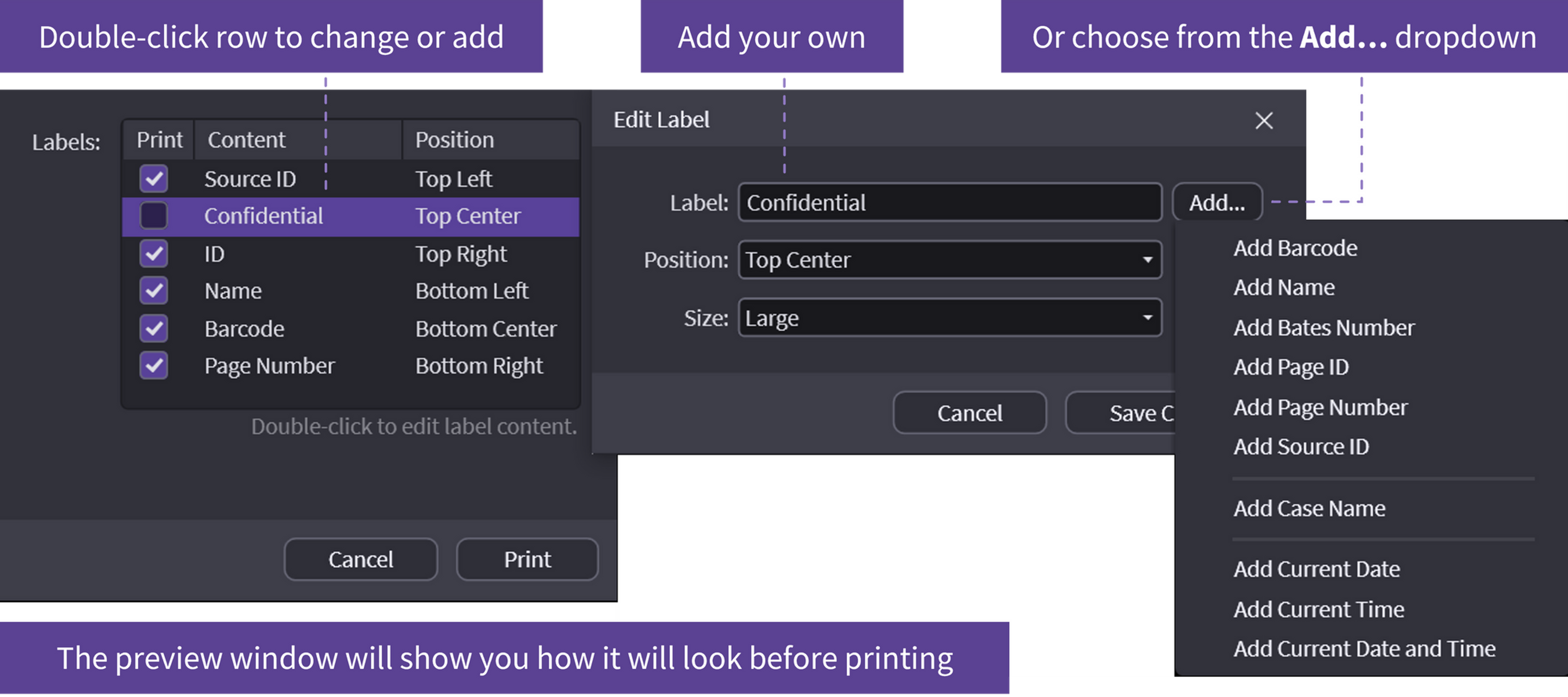
Double-click a row to change or add or choose from the Add... dropdown. The preview window will show you how it will look before printing.
Note
OnCue cannot change the Adobe Acrobat print settings, like "prompt for file name" or where a file prints to. This must be done outside of OnCue.