Searching your Database
OnCue allows for reductive searching and filtering.
Reductive Search
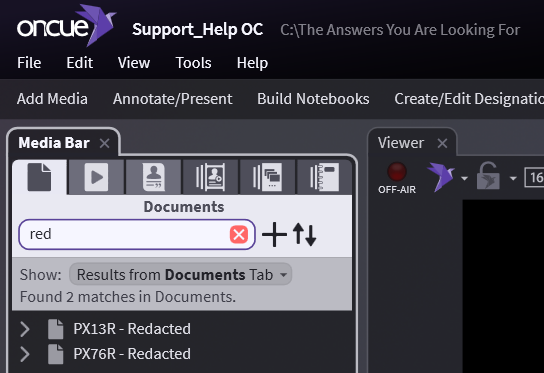
Do you want to filter down to see only exhibits you have named Redacted? Simply type in that word and the search field will now produce results in real time.
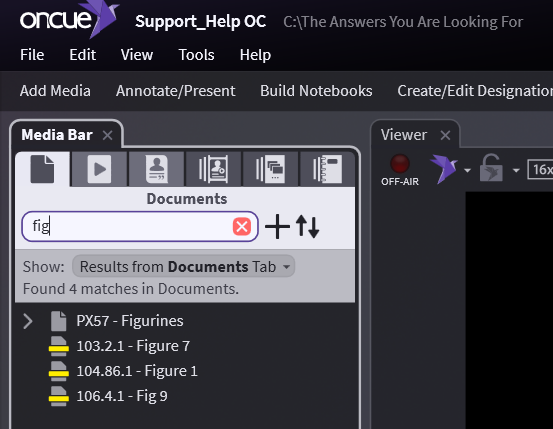
If you know you have given the name Figure 7 to one annotation, but you can’t remember which exhibit it stemmed from, you can type Fig and the results will narrow down as you type.
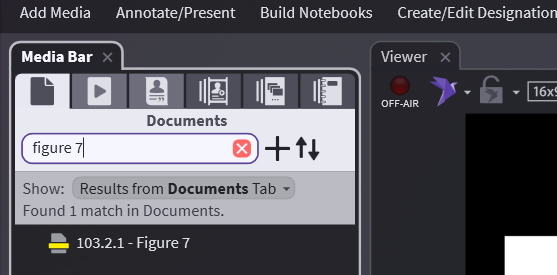
Alternatively, you can just type Figure 7
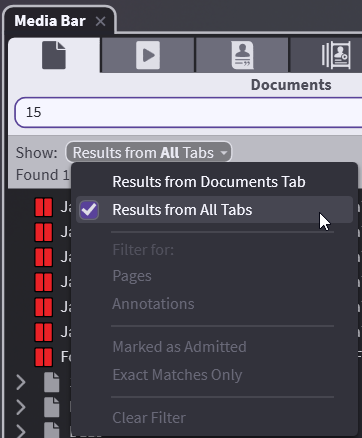
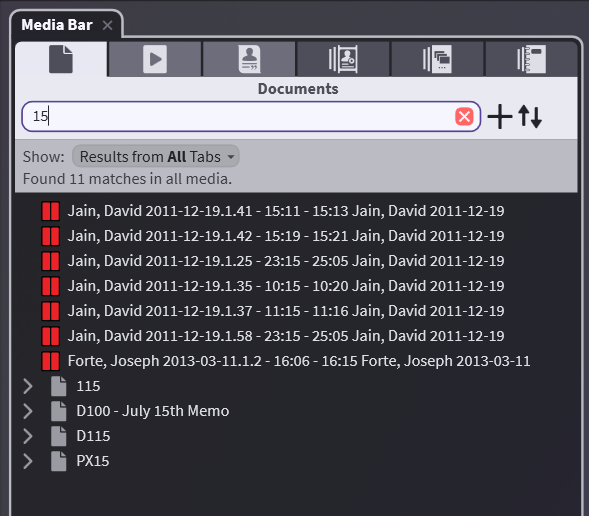
You can search the entire case by using the dropdown and selecting to show Results from All Tabs. This will show anything that can be called up in Presentation mode (excluding Notebooks) with your search criteria showing either their ID, name, or Bates.
If the first result on the list is what you want, just hit Enter to close out the search with your top hit selected.
Filtering
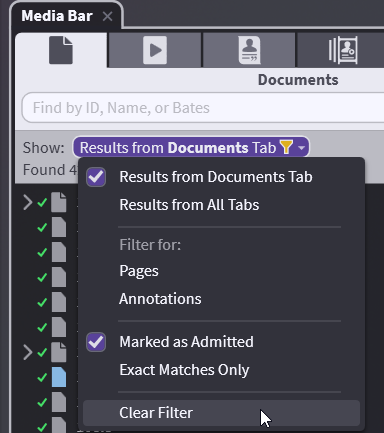
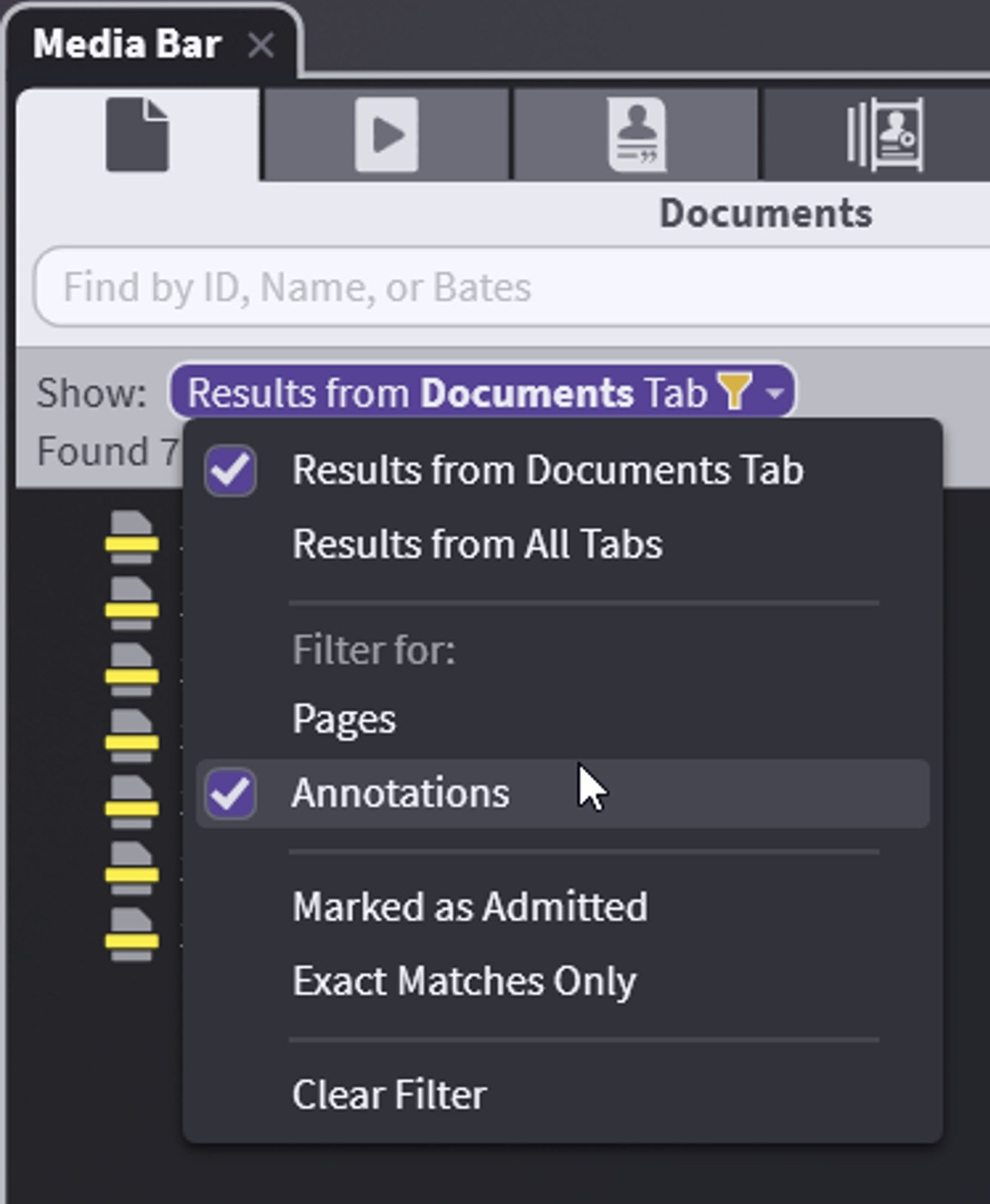
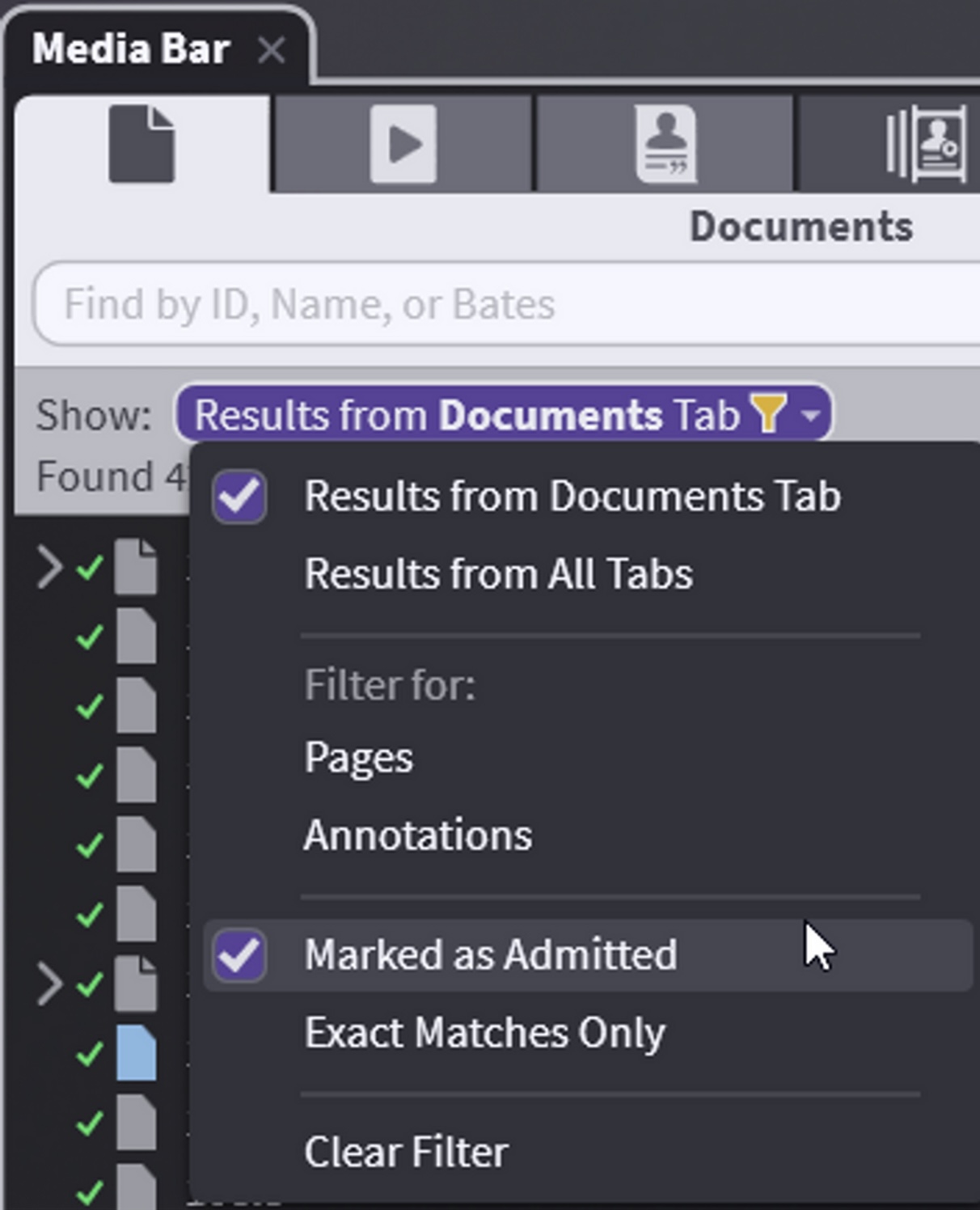
You can filter for only annotations or Marked Admitted or do Exact Match. Filters do not require you to type anything into the search field.
Clearing your filter
Don't forget to clear your filter after you are finished.