Sharing Settings and Presets
How do I transfer my settings from one computer to another?
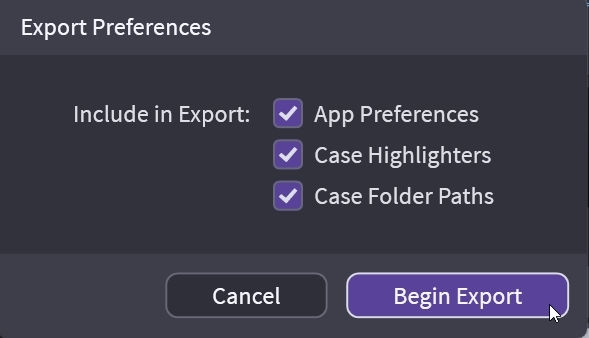
You can transfer settings from one machine to another using an export. This file can contain all your tools, transcript highlighters, and case mapping.
App Preferences
This is almost everything related to preferences. Your tool colors, your scrolling text, what your callout preferences are. You want to select this when you set up your second laptop and you have your setting right where you want them.
Case Highlighters
Transfer/share your transcript highlighter names and colors
Case Folder Paths
Do you have your video and documents mapped differently? Share your paths.
Transferring Settings
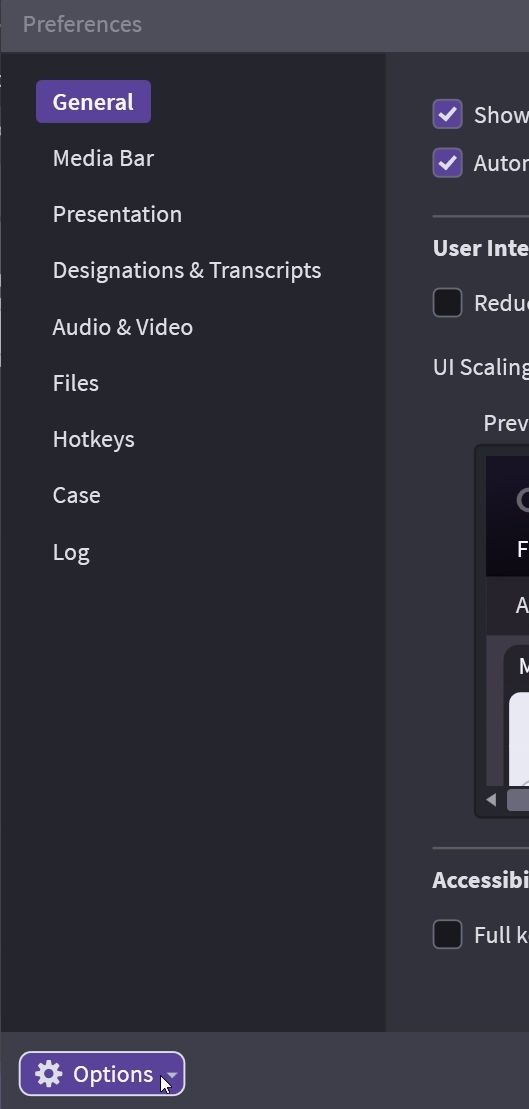
Go to Edit > Preferences and at the bottom of the pop-up screen, click on Options.
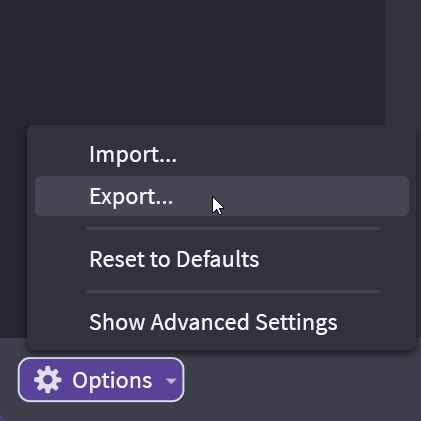
Once you click on Options, you will see a few choices. Select Export to open Export Preferences
Select what you want to share or transfer and then click Begin Export.