Exporting Notebooks
Notebooks – Why use them?
Notebooks are a great way of organizing the material in your OnCue database. You can import Notebooks or export them to give to other OnCue users.
For more information about creating Notebooks, see Building Notebooks.
How to Export Notebooks
There are two types of export files in OnCue:
• Text File - *.txt
• OnCue Notebook Packaage - *.ocp
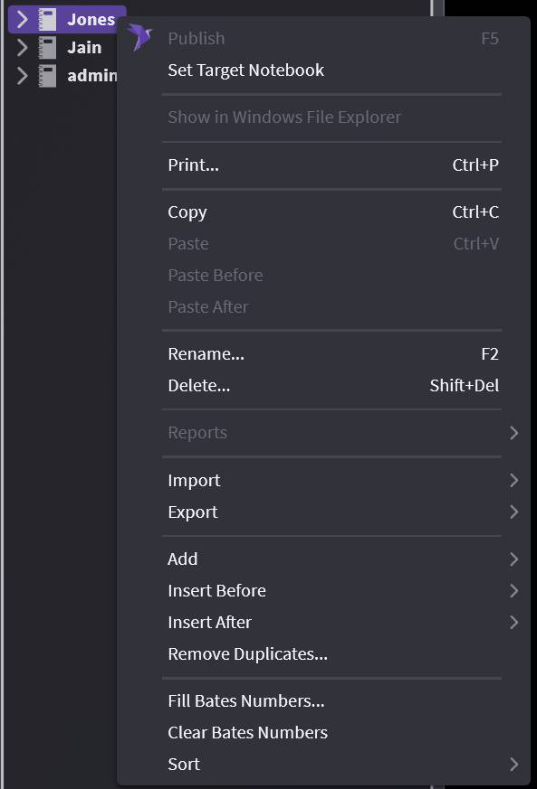
Right-click on your Notebook, select Export and then Export Notebooks to see your options.
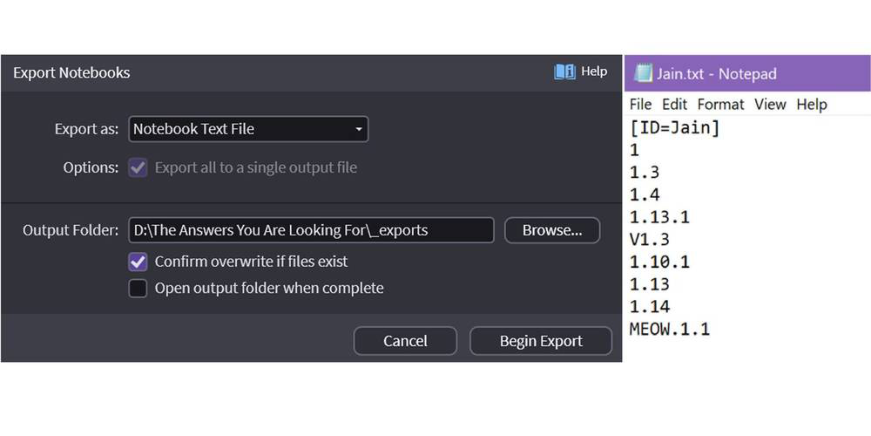
Text File – a basic list of everything in your notebook including ID. This does not include sub-notebooks or annotations. It can include multiple notebooks.
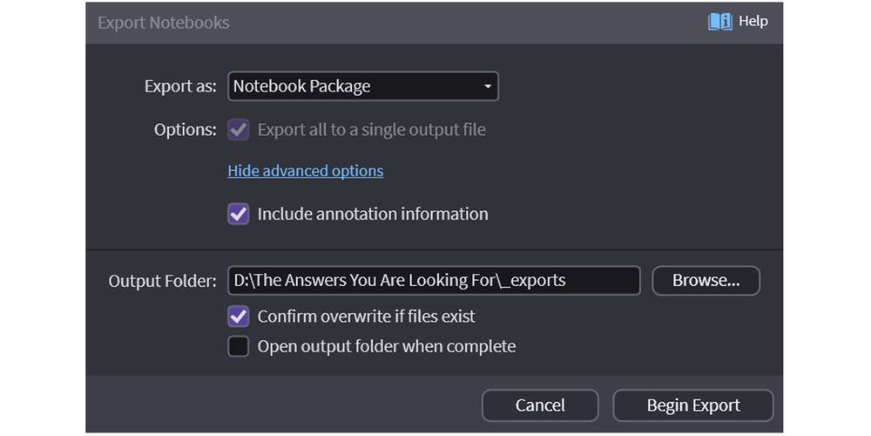
OnCue Notebook Package – This is the file you want if you are sharing work with others. It can contain sub-notebooks and annotations. This is a great way to transfer annotations (mark-ups, treatments) to another OnCue case. Make sure to Show Advanced Options that allow you to include annotations.